Overview
Confusion
Target User
Friction
Journey
Principles
Wireframes
Final Screen
Reflections
Overview

Why Mailchimp?

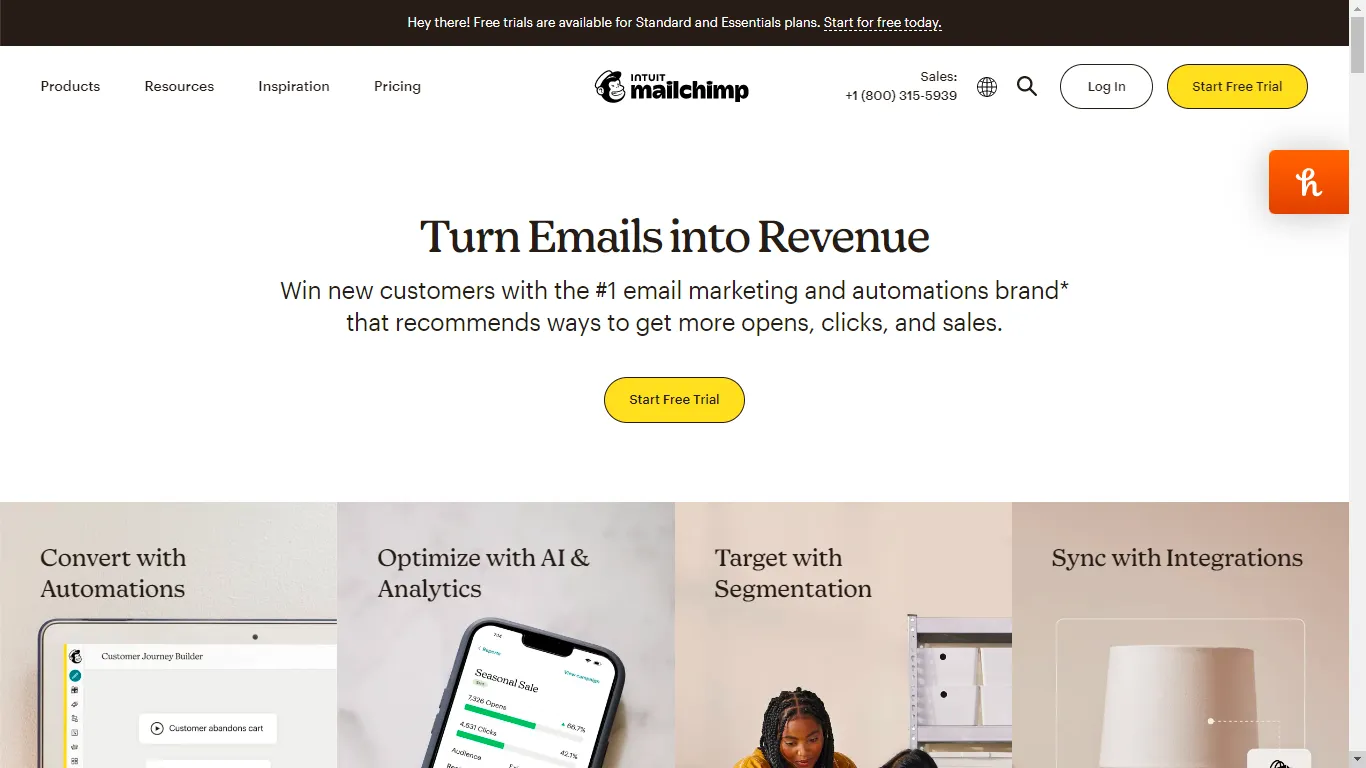
Mailchimp is a widely used marketing automation platform, best known for its email marketing tools for small businesses. It allows users to design, send, and track campaigns, and is often considered an industry standard in the email marketing SaaS space.

I noticed that even though Mailchimp is an industry giant, their pricing page felt like a hurdle rather than a help. I wanted to see if I could take that massive list of features and turn it into a decision-making tool that actually made sense for a growing business.

Research

The Cost of Confusion

Pricing confusion Pricing confusion Pricing confusion Pricing confusion Pricing confusion

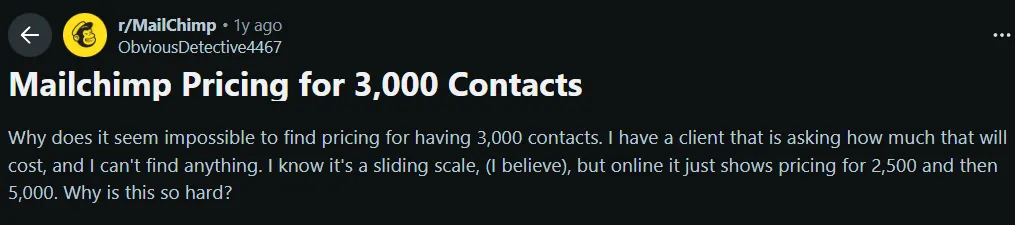
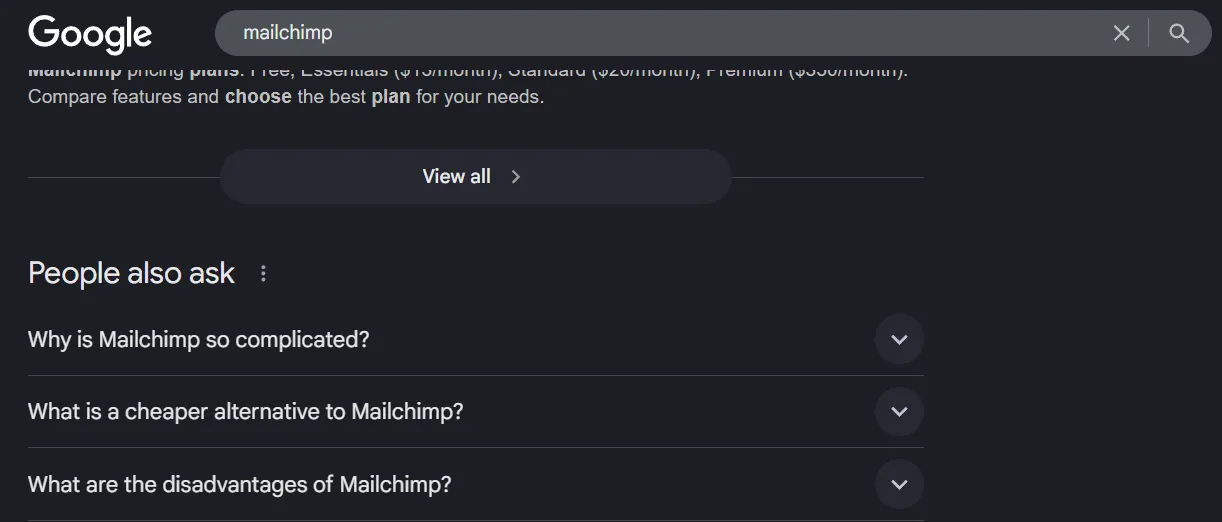
I scoured Reddit threads, forums and related search queries to understand and look for patterns in how real users discussed Mailchimp's billing. What I found was that users were forced to reverse-engineer pricing instead of being guided toward a decision. There was no strong value anchoring to convince users of the price point, and experienced users still needed the community to understand cost implications.

Its pricing page does not help users answer the most basic question: "How much will this cost me as I grow?"

Target User

Who We're Designing For

Growing small businesses and early-stage marketing teams, with:

  • 2–10 person teams
  • 5,000–10,000 contacts
  • Past the hobby stage
  • Actively running campaigns and basic automation
  • Cost-aware but not price-obsessed
Why this segment?
They generate the most paid conversions (per secondary research)
They experience the highest pricing confusion
Free users are not the conversion target; enterprises are sales-led
Primary conversion goal

Increase conversion to the mid-tier Standard plan by reducing decision friction and strengthening value anchoring.

Secondary goals

Reduce bounce on the pricing page, reduce reliance on the "Find my plan" quiz, and increase confidence at the point of CTA.

Audit

Identifying the Friction

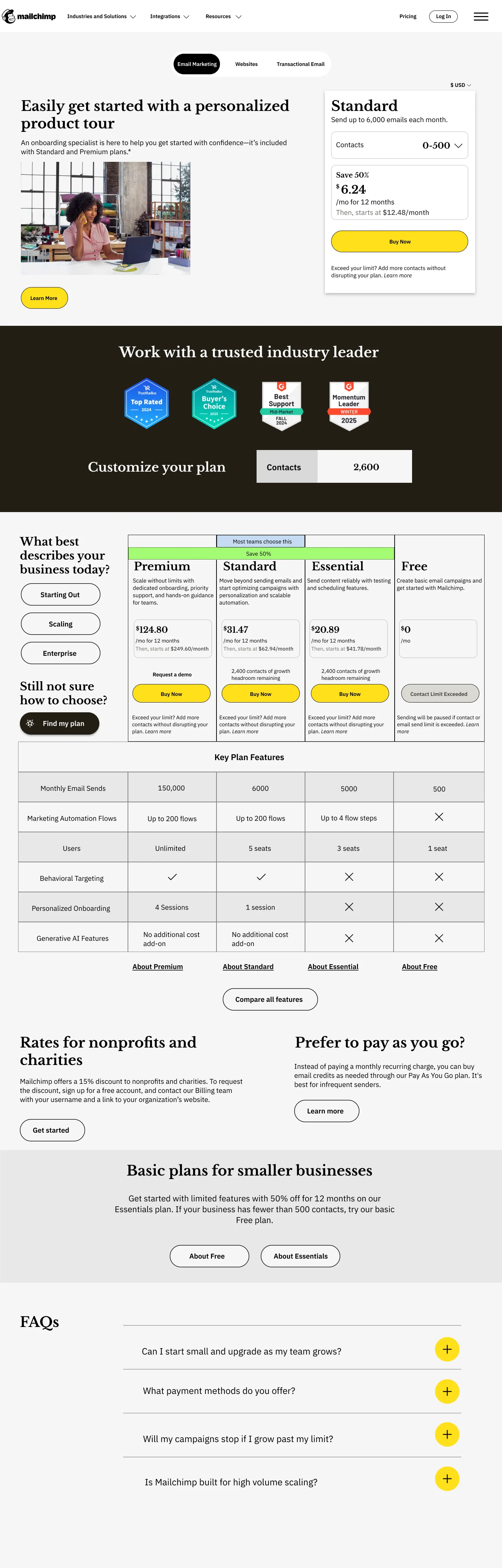
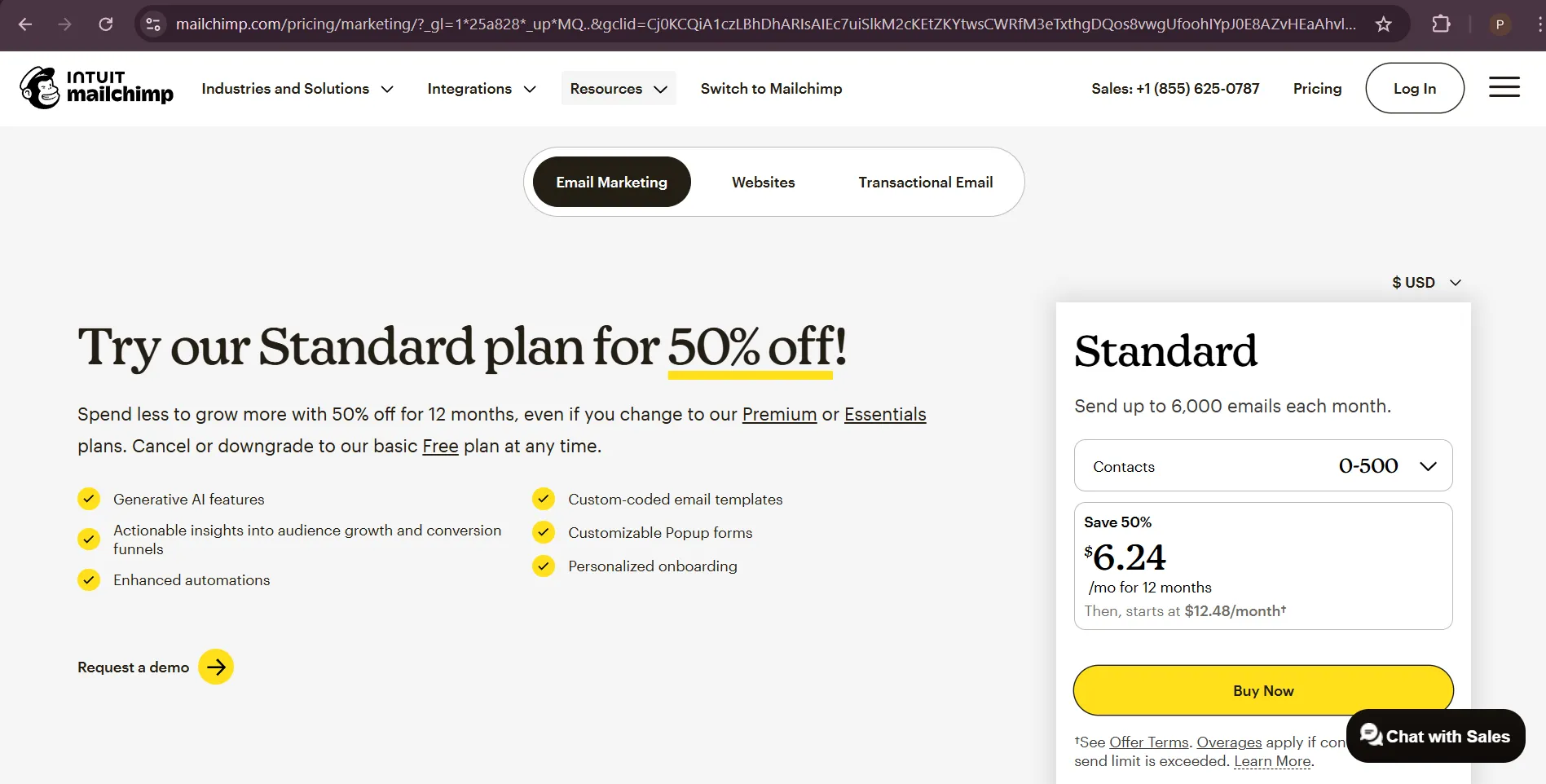
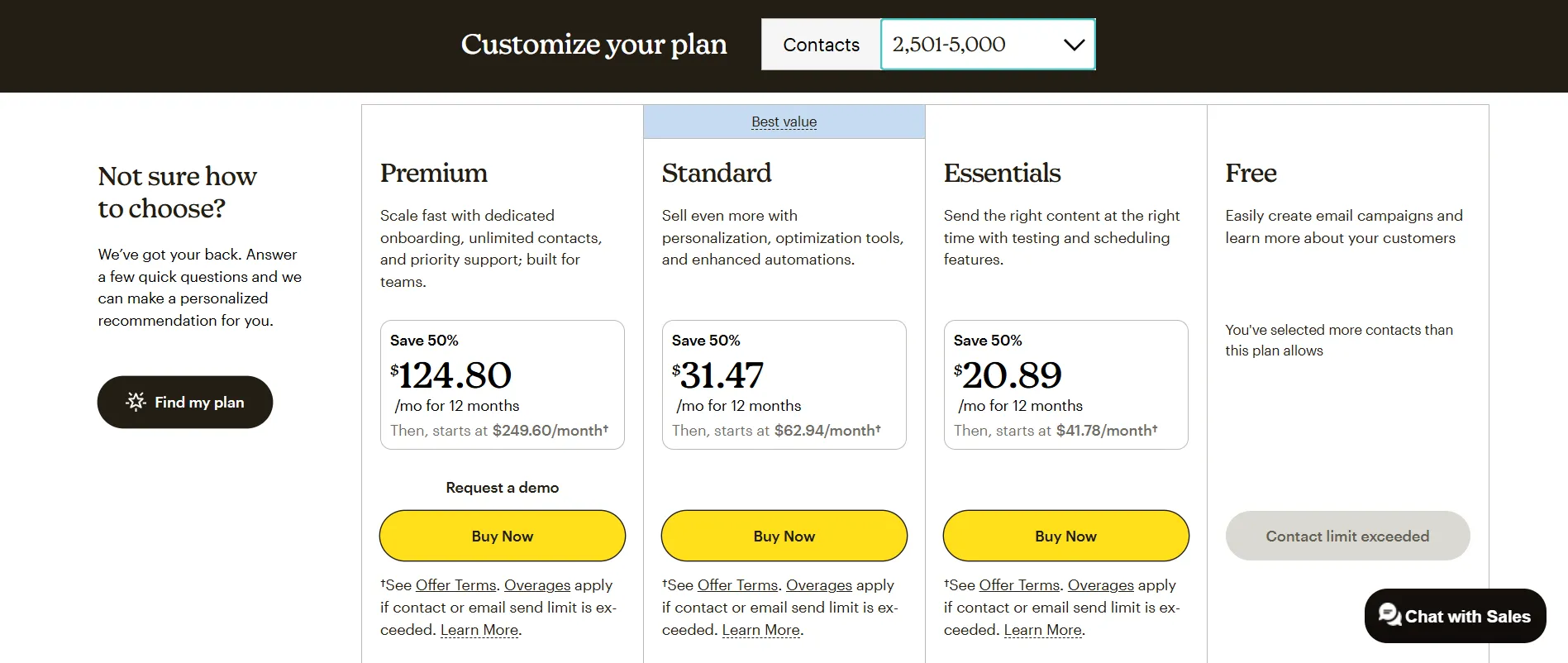
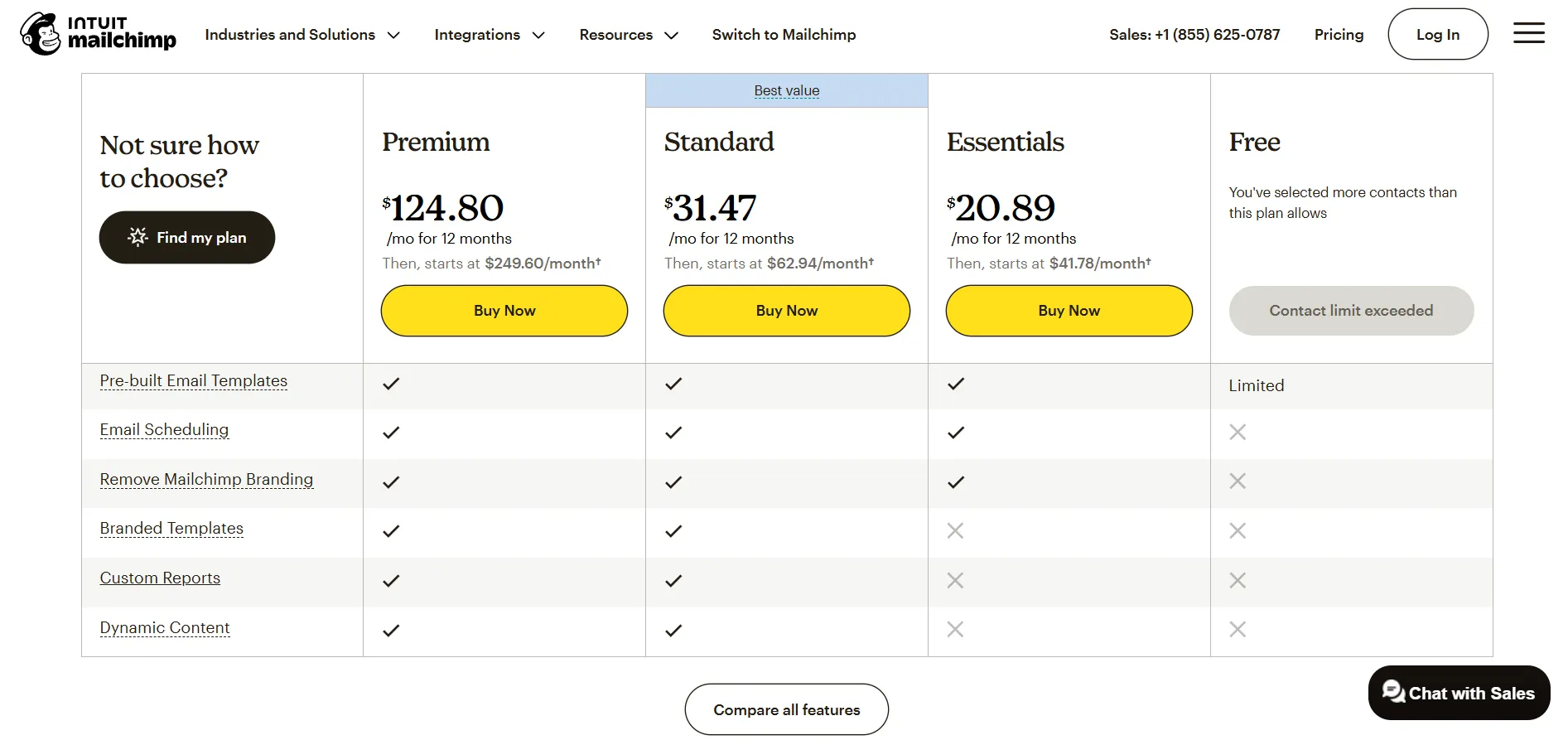
With the primary user and conversion goals defined, I performed an audit of the existing pricing page to identify UI-level friction contributing to decision paralysis. Pain points were later grouped to identify similar patterns.

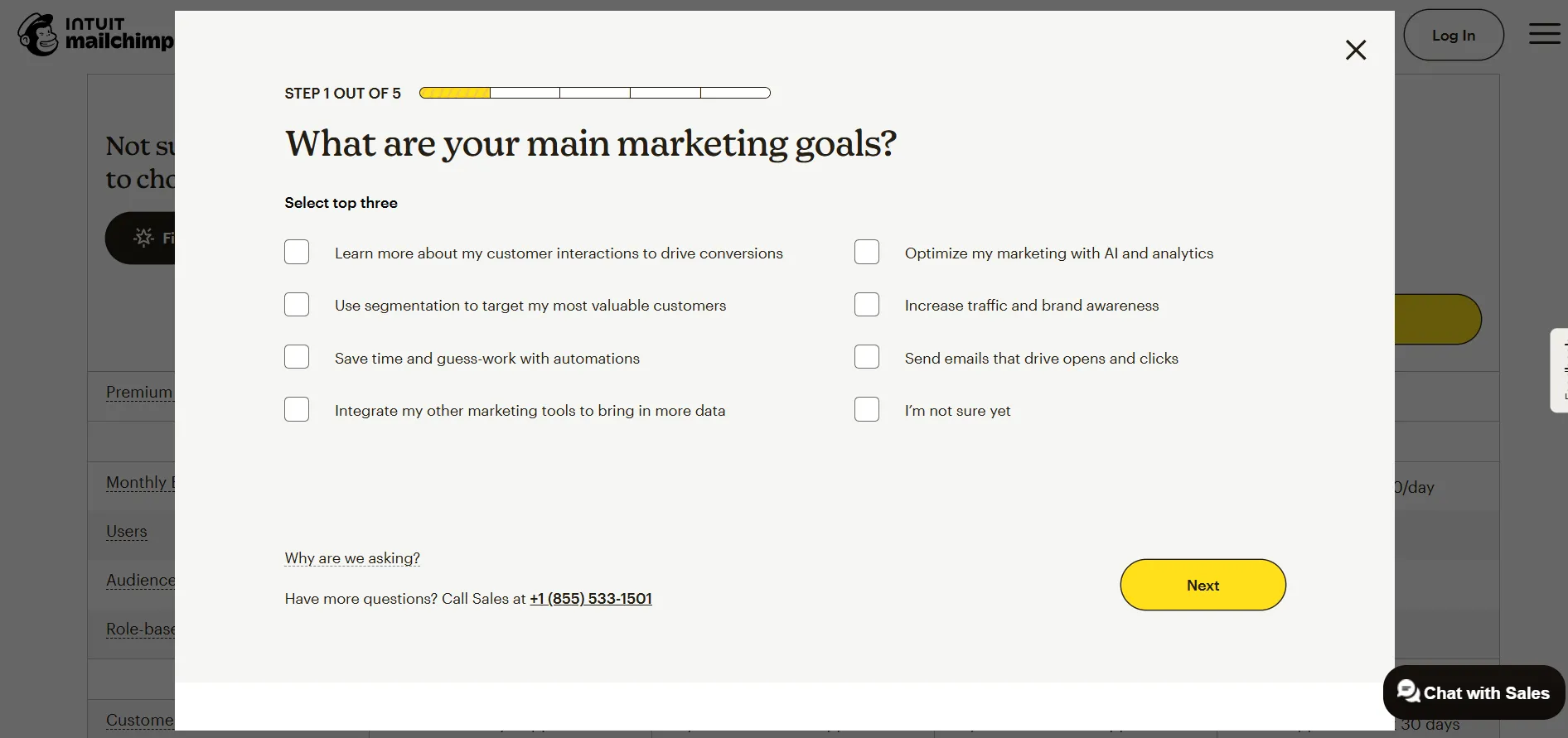
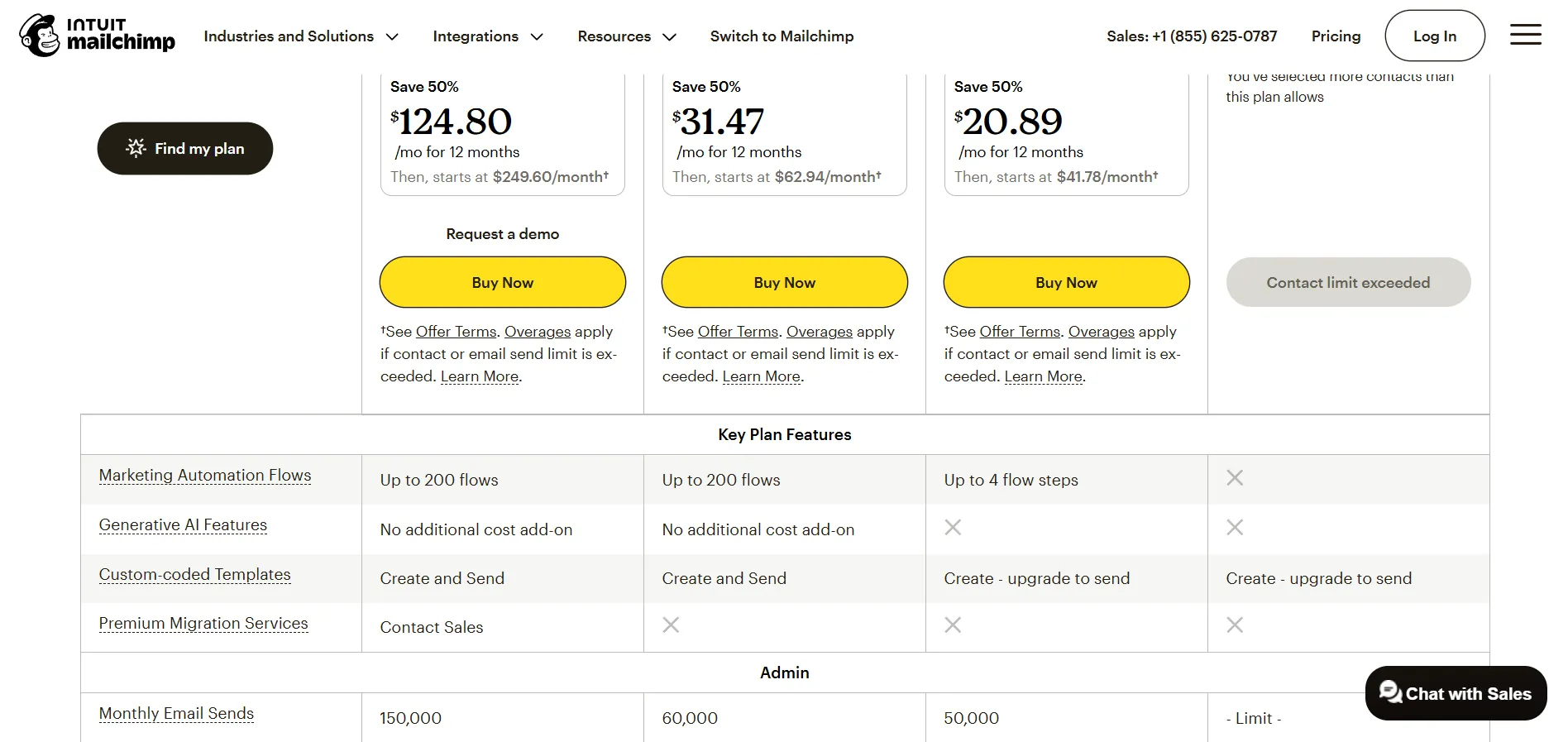
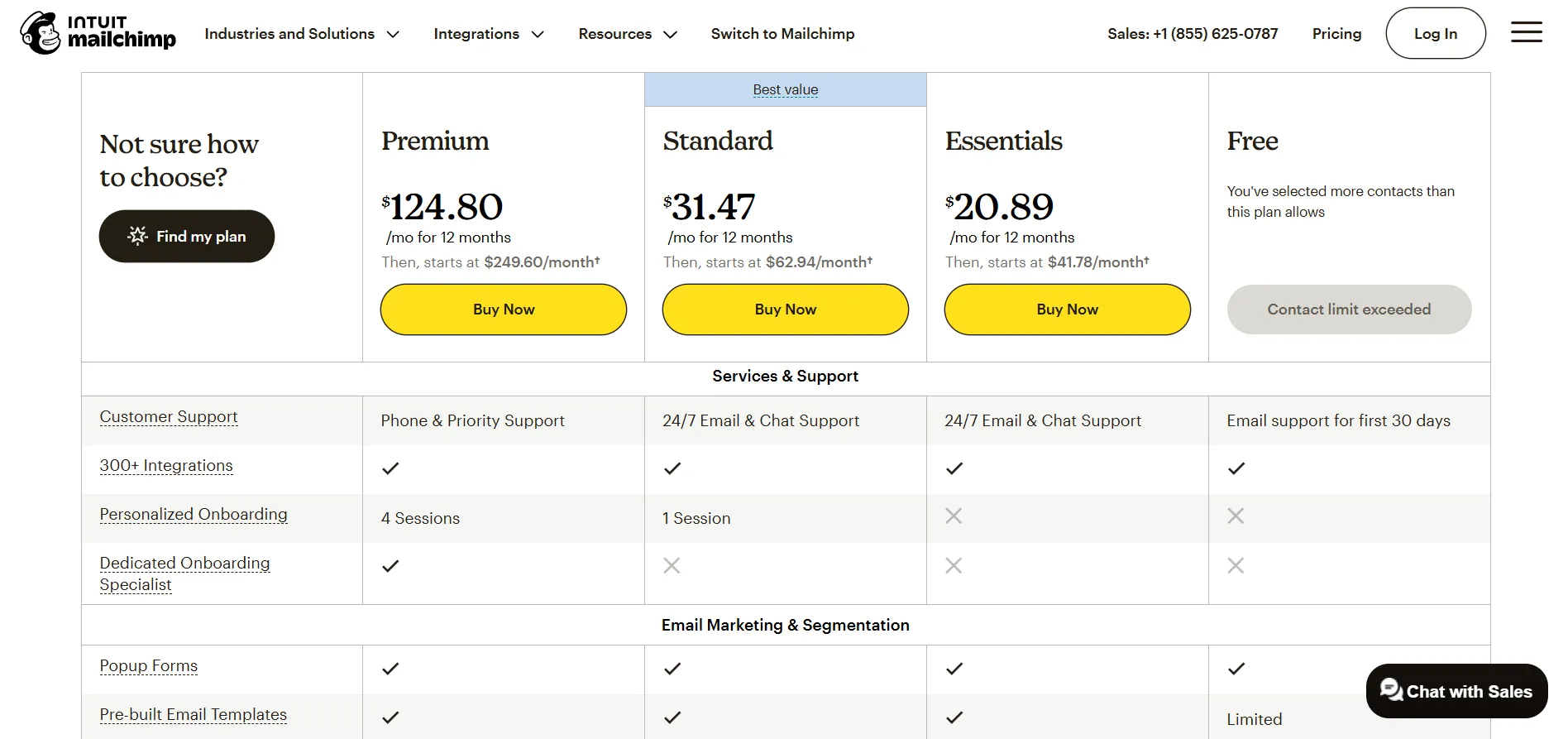
Existing webpage audit Existing webpage audit Existing webpage audit Existing webpage audit Existing webpage audit Existing webpage audit Existing webpage audit Existing webpage audit
User Journey

The Friction in Motion

Mapping the user's emotional journey through the existing pricing page revealed exactly where and why decisions stall.

😀
Opens pricing page
"Great, Standard plan is 50% off."
  • Immediate positive sentiment and "price-drop" urgency.
🧐
Sees "overages apply" under Standard plan
"Hmm… not sure what that means exactly."
  • Overage fees are mentioned only in fine print, creating anxiety.
  • The feature list does not reflect added costs, leading to uncertainty.
😬
Wants a plan for 2,600 contacts, sees 5,000 slab
"Wait, does 2,600 cost the same as 5,000? Seems like wasted space."
  • Pricing jumps in fixed intervals ("staircase pricing"), not aligned with growth.
  • Users feel they are paying for unused capacity.
🙄
Notices all plans also have 50% off
"Then why was Standard specially highlighted in the hero section?"
  • Creates visual clutter in the plans tab.
  • Decoy plan (Essentials) doesn't feel meaningfully different.
😣
Confused between Standard and Essential
"Okay… which one should I pick? They look similar."
  • Dense lists of technical specs feel like specs, not benefits.
  • Checkmarks on everything fail to highlight meaningful differences.
⚠️
Interrupted by "Find My Plan" quiz
"Maybe this quiz helps? Oh wait, now I'm more confused."
  • Quiz acts as a speed bump, implicitly admitting the table is hard to understand.
  • Overlay interrupts side-by-side comparison, breaking the mental model.
😬
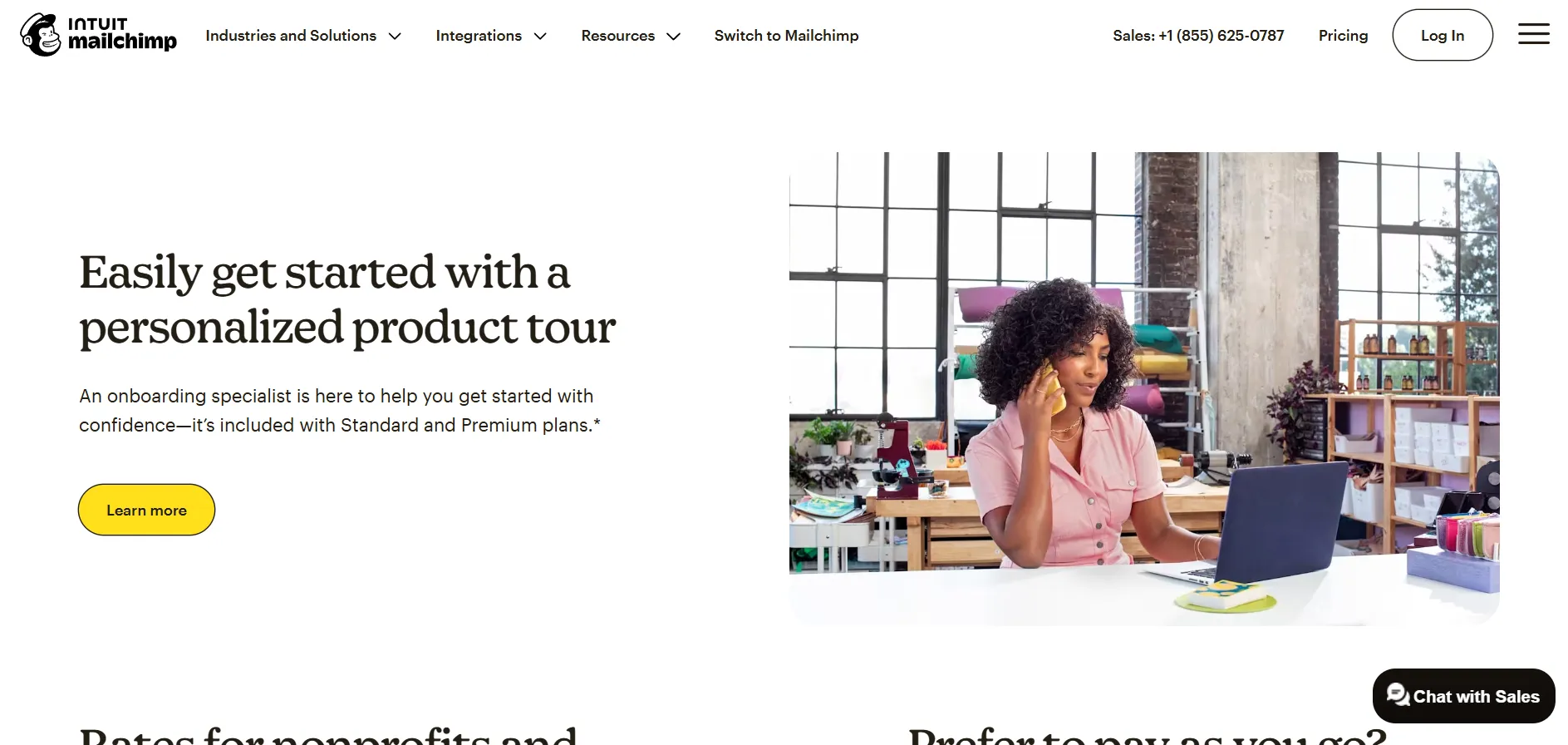
Personalized tour only for Standard & Premium
"Oh, this would have been useful earlier… but it's not for my plan?"
  • Info comes too late and is missing for the chosen plan, reducing its utility.
😕
Reads FAQs but remains unconvinced
"Hmm… these answers don't really reassure me."
  • FAQs fail to fully reduce uncertainty or reinforce confidence at the end of the journey.
Design Principles

Planned Design Changes

Plans aligned to business growth stages Principle: Anchoring

Instead of tech specs, I framed plans around business milestones: Essentials for "starting," Standard for "scaling," and Premium for "optimizing." Placing the premium plan as a visual anchor makes Standard feel like a bargain.

Standard positioned as the natural upgrade Principle: The Decoy Effect

I shifted the focus of the Essentials plan to be transitional. By limiting high-growth tools but keeping the price close to Standard, the value gap becomes obvious and nudges users toward the mid-tier.

Comparison fatigue reduced Principle: Progressive Disclosure

I surfaced only the winning differences upfront. Detailed technical specs were moved into expandable sections to satisfy power users without overwhelming skimmers, highlighting actual reasons to upgrade.

Extra capacity reframed as flexibility Principle: The Framing Effect

I used dynamic messaging to turn paying for unused contacts into room to grow. This changes the perception from overpaying to having a stable, scale-ready foundation.

Choice architecture in guidance Principle: The Goal Gradient Effect

Clicking a persona gives users a sense of progress, increasing the likelihood of completing the CTA. This reduces the interaction cost associated with finding the right plan.

Hidden costs made explicit early Principle: Social Proof & Proximity Bias

I brought overage explanations out of the fine print and onto the main stage. Moving trust signals near CTAs builds the trust necessary to reassure users at the decision point.

Process

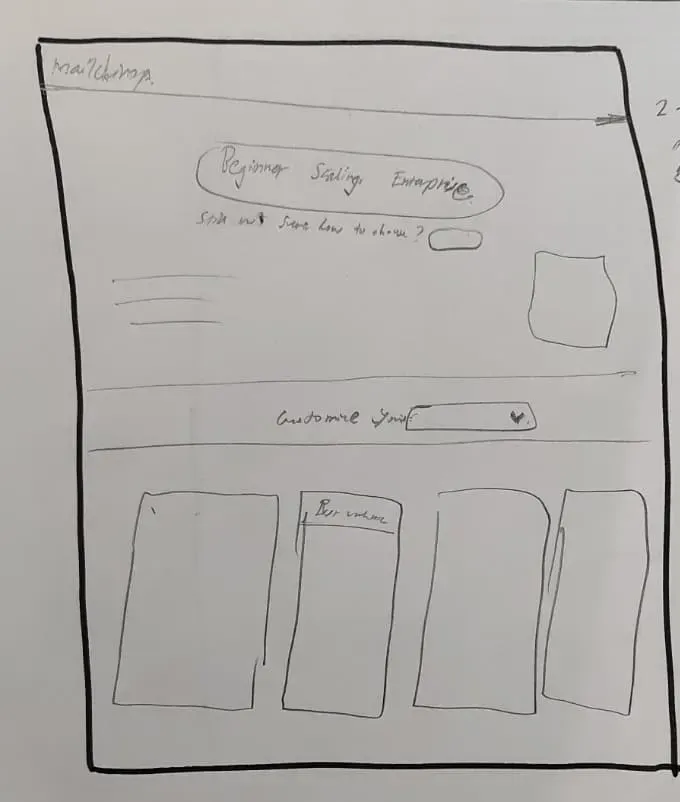
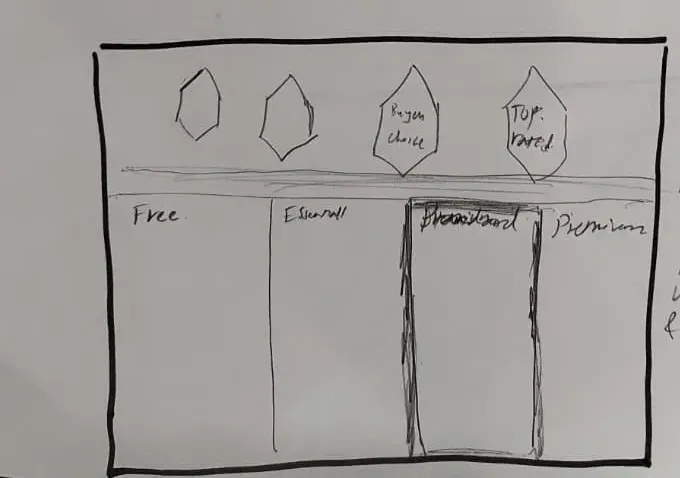
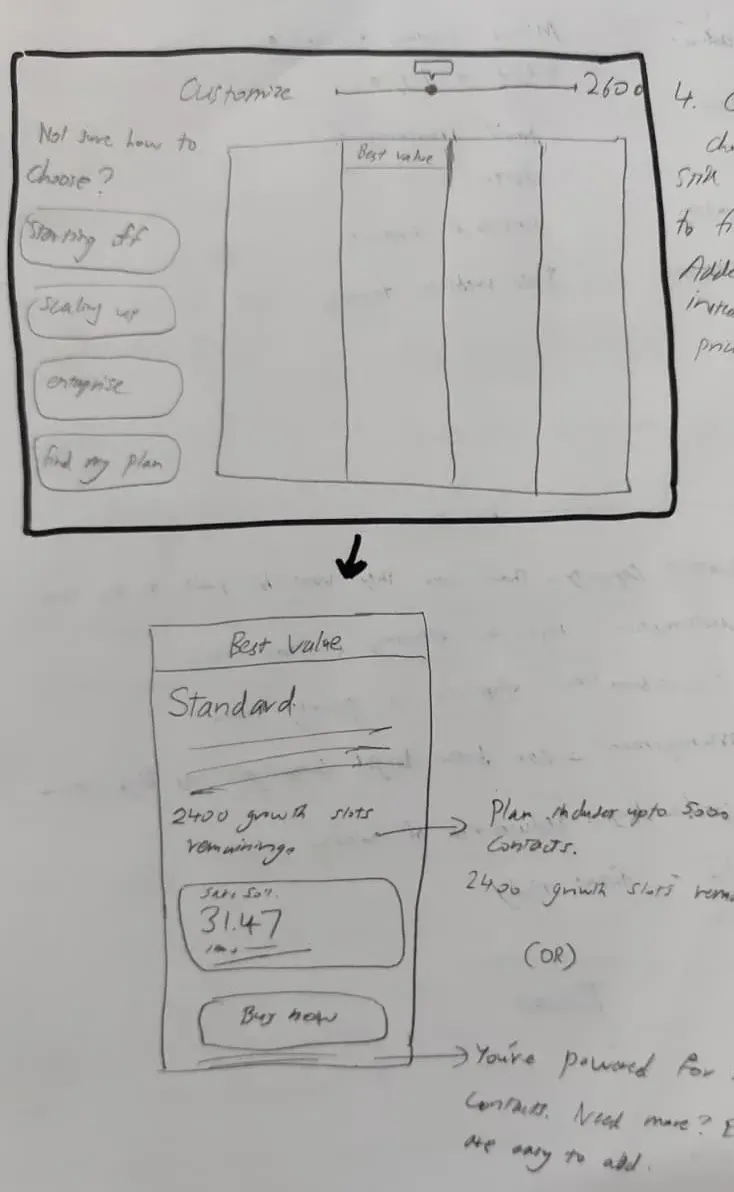
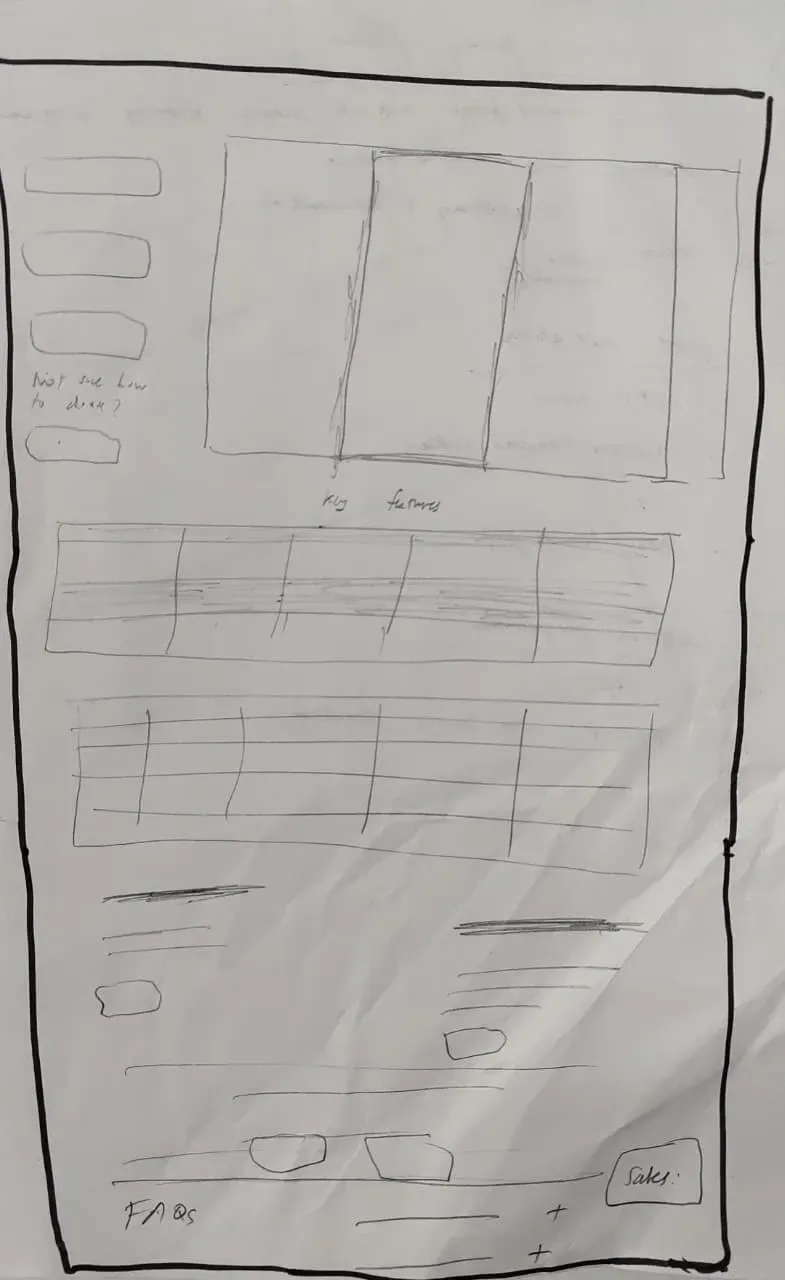
Wireframes & Iterations

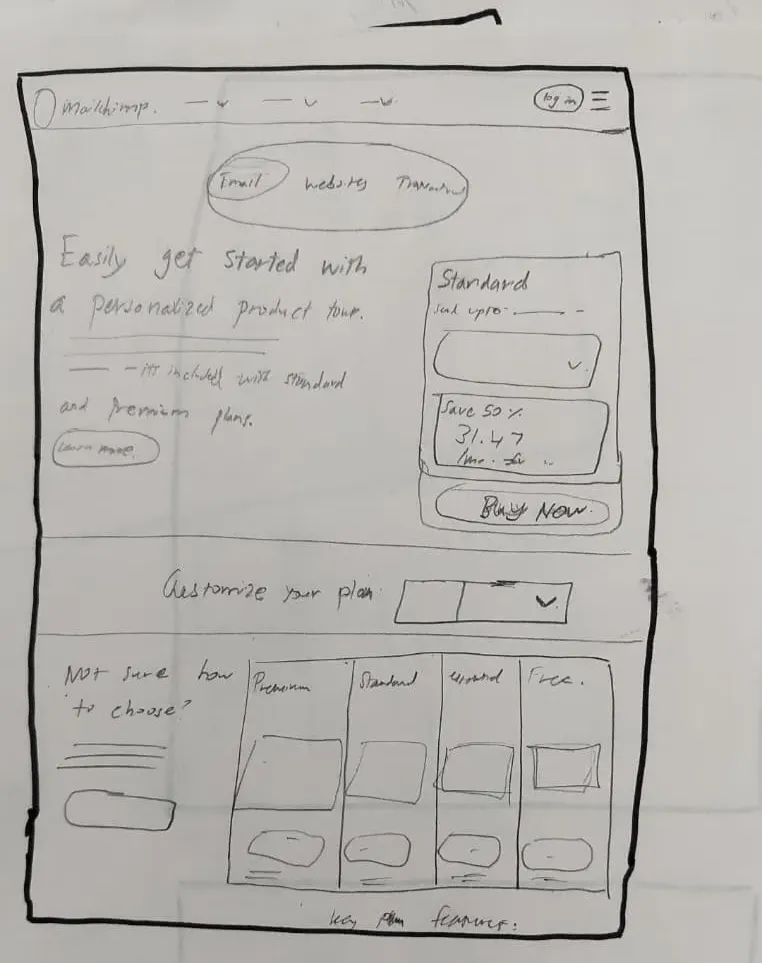
My biggest hurdle was the feature list. I was struggling to give skimmers the speed they wanted without leaving detail-oriented skeptics in the dark. I eventually decided that winning differences must be the only thing visible at first glance, with everything else progressively disclosed.

Wireframe iteration 1
Iteration 01

Moved the personalized product tour message to the hero section, so it lets users know and naturally points them to the Standard plan beside it.

Wireframe iteration 2
Iteration 02

Added choice architecture beside the "Find My Plan" button to make users feel 20% done before they've even started — triggering the goal gradient effect.

Wireframe iteration 3
Iteration 03

Shifted trust tokens and social proof near high CTA areas at the top, so confidence-building content appears at the exact moment users are deciding.

Wireframe iteration 4
Iteration 04

Removed staircase pricing and let users enter their preferred contact count naturally. Rephrased the copy so users feel they have room to scale rather than paying for wasted capacity.

Wireframe iteration 5
Iteration 05

Curated the feature list to only surface what directly pushes users toward Standard, with all remaining features tucked behind a "Compare all features" toggle for power users.

Final Design

Final Redesigned Screen

Final high-fidelity redesign
Reflections

Reflections

Marketing can't solve a product problem

The 50% discount was a great hook, but it couldn't convert users who were fundamentally confused by the pricing logic. I learned that urgency only works if the value is clear first.

Curation is better than deletion

I realized that some users need technical details to feel safe, so I couldn't just remove them. The solution was progressive disclosure — showing the most important info first and keeping the deep details one click away.

Addressing the fear of change, not just price

Users aren't just worried about the cost; they're afraid of outgrowing the plan or the system breaking. By showing that their business never stops during a switch, I gave them a safety net that made upgrading feel less risky.

Open in Figma Next: Spatial Task Architecture →